
Websol Bawarchi POS provides powerful reporting tools to help restaurant owners track and manage all supplier-related activities. With just a few clicks, you can view Purchase Summary Reports, Purchase Inquiry Reports, and Purchase Return Reports.
These reports help you understand supplier performance, purchase history, and payment status—making your business decisions smarter and faster.
Steps to Review Purchase & Vendor Reports
Step 1: Log In
Log in to your Websol Bawarchi POS Back Office.
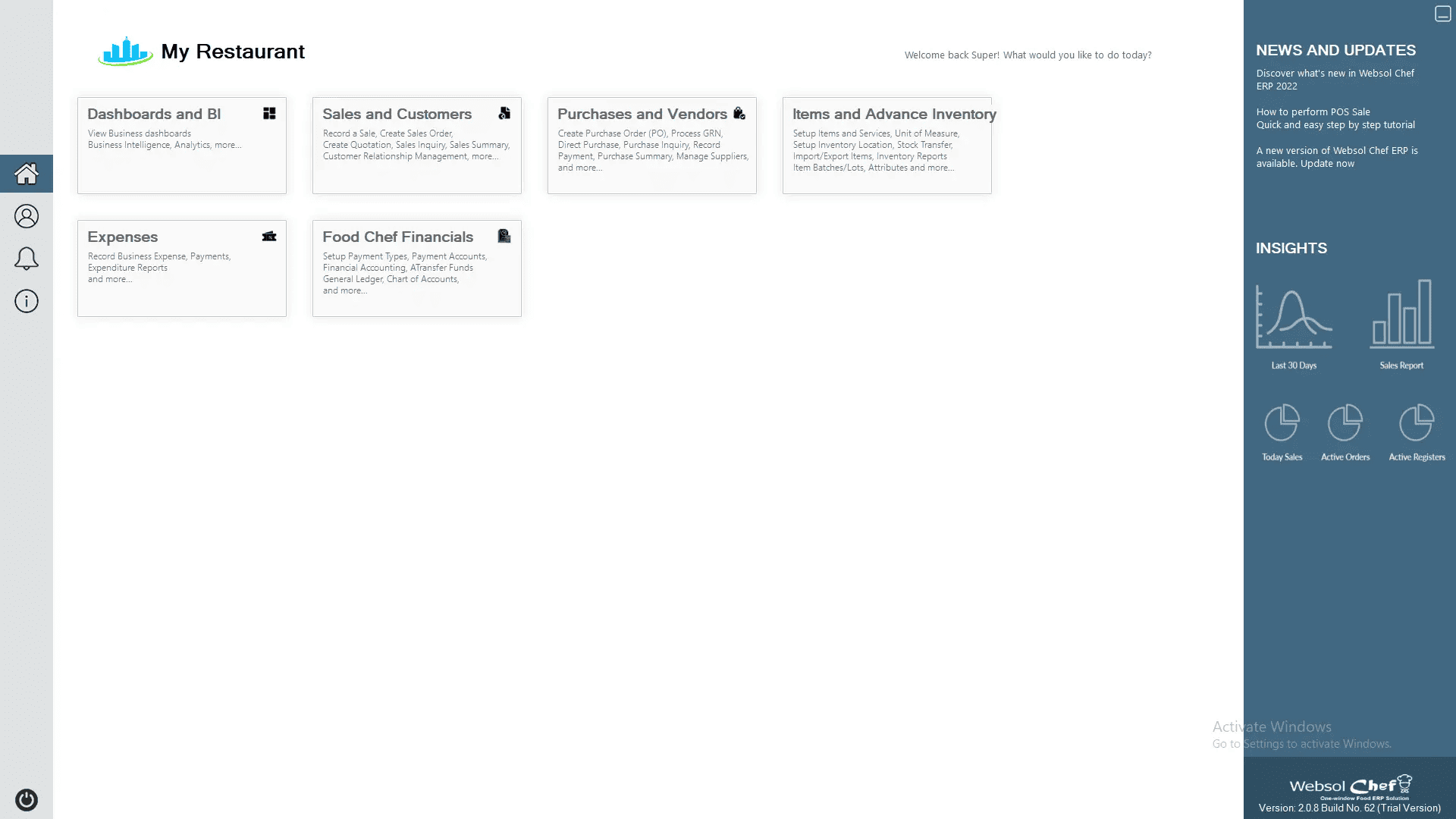
Step 2: Open Purchases & Vendors
Click “Purchases and Vendors” from the main menu.
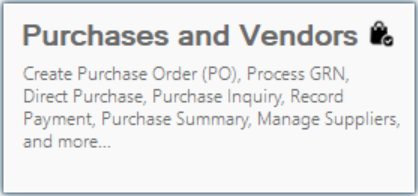
Step 3: Open the Reports Section
Click the “Reports” tab at the top.
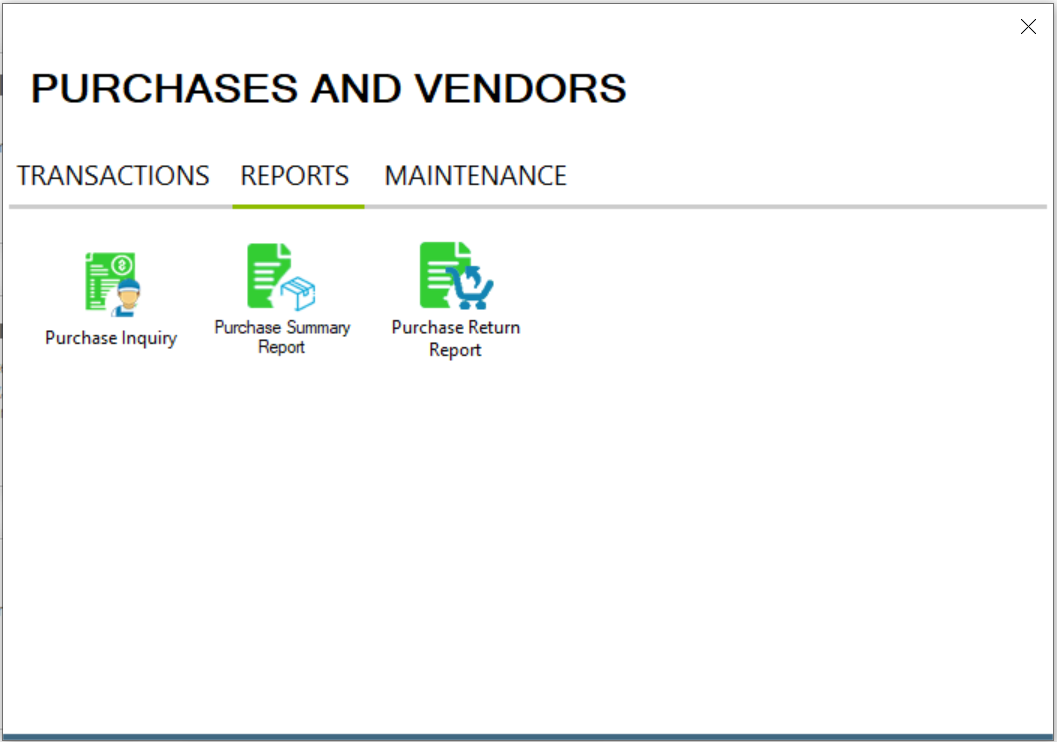
A. View Purchase Inquiry Report
Step 4: Open Purchase Inquiry
click on “Purchase Inquiry.”
The Purchase Inquiry window will appear.
Step 5: Filter Purchases
-
Choose a date range using From and To.
-
Click Filter.
You will now see:
-
All purchases within the selected dates
-
Their payment status (Paid or Unpaid)
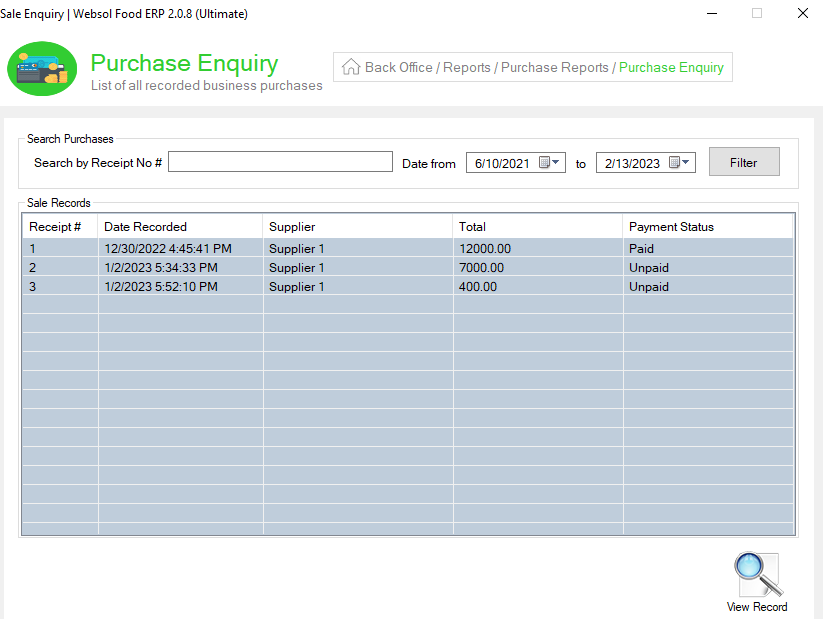
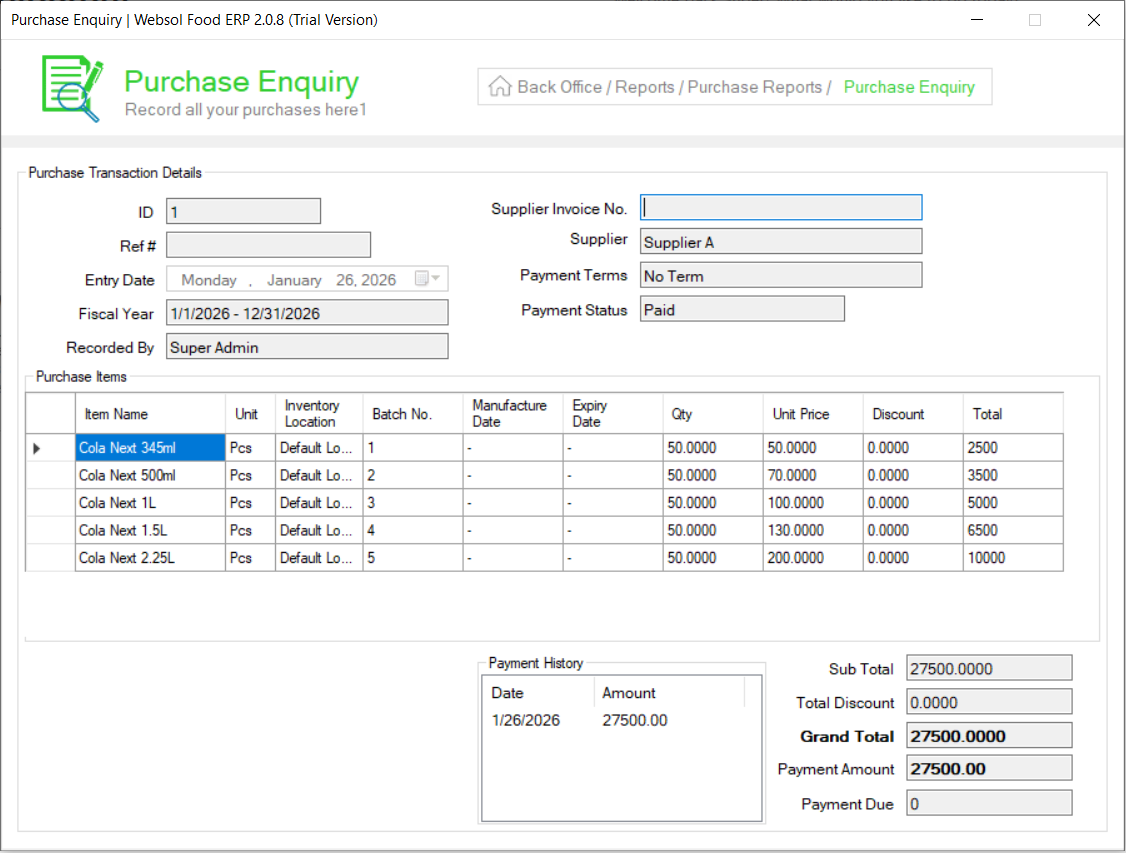
Step 6: View Purchase Details
-
Click any purchase entry to open more details.
-
Then click View Records (bottom-right).
A detailed purchase view will open.
Close the window when done.
B. View Purchase Summary Report
Step 7: Open Purchase Summary
Click “Purchase Summary Report.”
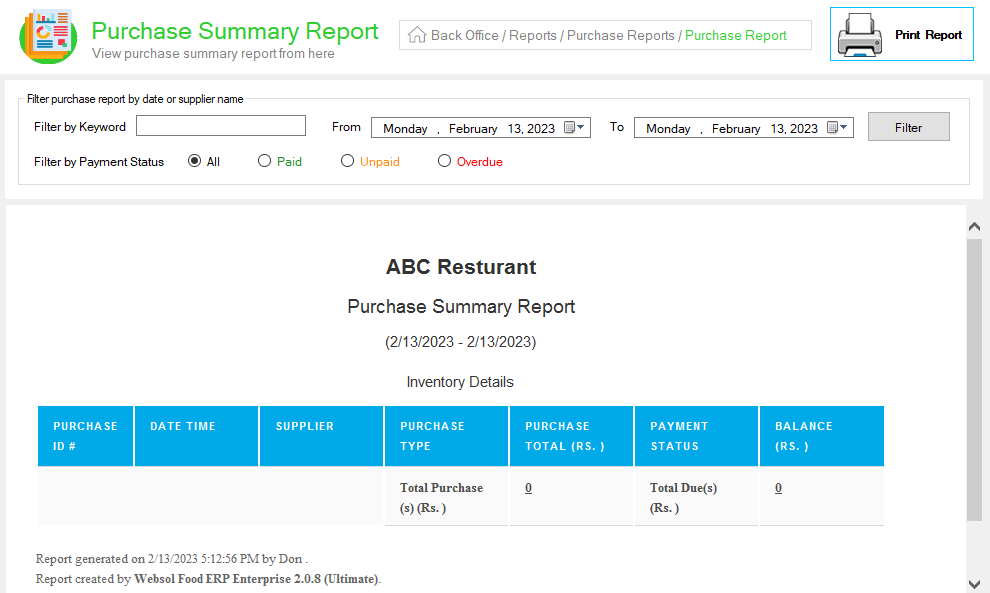
Step 8: Apply Filters
In the filter panel:
-
Select Date Range
-
Optionally filter By Supplier Name
-
Select Payment Status (Paid, Unpaid, Overdue)
The summary will show:
-
Total purchases
-
Paid, unpaid & overdue purchase details
Close the window after reviewing.
C. View Purchase Return Report
Step 9: Open Purchase Return Report
Click “Purchase Return Report.”
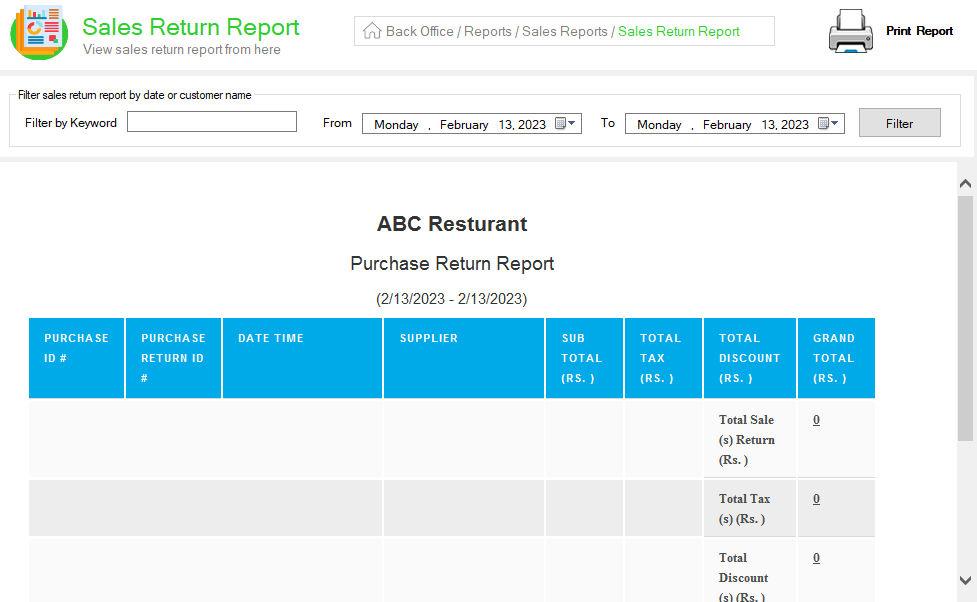
Step 10: Filter Report
-
Select a Date Range
-
Optionally filter By Supplier Name
-
Click Filter
You will now see all processed purchase returns with item and amount details.
Close the window when finished.
Click Here To Watch Video Tutorial
Pro Tip:
Use Purchase Summary Reports weekly to keep track of overdue supplier payments. This prevents payment delays and improves supplier relationships.
Summary
Websol Bawarchi POS makes it easy to view and analyze all purchase-related reports. You can check purchase details, payment statuses, and return history—all from one central reporting panel. These insights help restaurant owners maintain accurate records and make informed purchase decisions.
Keywords
-
Bawarchi POS
-
Websol POS
-
Purchase Reports
-
Supplier Reports
-
Restaurant POS Pakistan
-
Purchase Inquiry
-
Purchase Summary
-
Purchase Returns
-
Vendor Reports
-
POS Back Office
CALL US NOW!
+92 311 052 0111 | +92 21 3722 1800
PRODUCT DETAILS
https://www.pointofsale.pk/products/bawarchi/
#websol #websoltechnologies #websolpos #bawarchipos #restaurantpos #restaurantsoftware #possoftware #cashregister #kitchendisplaysystems #billingapp #billingsoftware #fbrpos #srbpos #accountingsoftware #accountingsolutions
